Windows 10 and Creatures
 With the release of Windows 10, many of us may be wondering whether the Creatures games work on this new operating system. Fortunately, GOG released a news article yesterday about how 85% of the catalog is Windows 10 compatible. Even better: All of the Creatures games are on this list! This doesn’t guarantee that there won’t be hiccups or issues, yet this is wonderful news for the future.
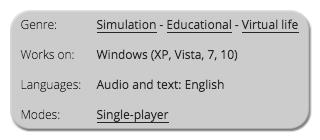 Creatures: The Albian Years and Creatures Exodus are still not officially compatible with Windows 8, and there have been plenty of players who experienced problems. Hopefully this comes as a pleasant surprise for those making a quick switch to Windows 10! Over a decade later, and we can still enjoy Creatures on newer operating systems. Thanks, GOG, and thanks to Malkin for mentioning this important news!
First Image Credited to Microsoft
Second Image Credited to GOG.com
Update: Creatures: The Albian Years is no longer listed as being compatible with Windows 10. Be sure to check the listed system requirements and operating systems for each game, as these can change over time!


Sounds great. However I am a bit worried, that they did not really test this. Can’t wait to hear from Creatures players, who are actually playing the games on the new OS. I will keep Windows 7 installed until the very end as numerous other softwares had struggles with Windows 8.
I’m sticking with the older version of Windows for now, too! It sounds like the compatibility means that there aren’t any serious issues, yet there still could be a few problems. I’ll keep an eye out for any topics regarding Creatures and potential Windows 10 issues. Hopefully any will be very minor!
Creatures 2 still shows a big black box, and doesn’t store any preferences. For me, it’s not playable in win10 even in win8/win8.1. I think the only way to make it is by virtualization softwares like virtualbox.
But fortunately C1 & C3/DS work great. ^^
Thanks for that information! Creatures 2 has always been the least stable of the games. I think I solved the black box issue in Windows 7, but haven’t tried it in other operating systems. I’m glad to hear that the other games work great, though! Hopefully someone will find a solution to fix C2 in Windows 10. Thanks again for sharing your experiences with the games in Win10!
I never had any problems running Creatures 2 in Windows 7, but the black Box was there in both Windows 8 and Windows 10.
Ah, I’ll have to keep an eye out for that one. I might dig around to try to find some potential solutions. If I remember correctly, they were kind of buried in topics and weren’t easy to find. Hopefully there will be some sort of definitive solution to get C2 working in Windows 8 and Windows 10!
Any fixes for the black box in Windows 10? It sometimes worked in Win8 to move the window off screen, close and re-open. Hasn’t worked at all since I upgraded. It opens full screen every time. I can still ctrl+alt+del but of course the hand disappears.
Darn. :( Care to help document it on the Creatures Wiki?
Ah, I didn’t know that there was an official name for the issue, but that makes sense! I’m hoping that there will be a solution found for Windows 10 in the not-so-distant future. Thanks for sharing that link: Great reference material!
I haven’t had much luck in looking up any other resources or possible solutions, but I’ll start to try my luck! I’m hoping that there will be some sort of method to get things working again for C2 in Windows 10. Maybe it will just take a little more time for others to upgrade, and then there will be some other answers out there. However, I will try to look into this some more!
I got Creatures 2 to work with Windows 10!
After changing the colors as directed for Windows 8, I went to windowed mode and moved the window way down to the bottom of the screen, so I could just barely close it. And I closed it in windowed mode.
I then had to delete my world, and create a new one (I used the same name, but that probably doesn’t matter). When I opened the new world, the game was in windowed mode and where I left it; thus hiding the black box.
The game does start in windowed mode at the bottom of my screen every time, but at least I don’t have to work around that black box of doom!
It turns out that all one need do is make a new world after exiting in windowed mode, to move the black box.
Thank you for sharing that tip! I have heard some reports of Creatures 2 working in Windows 10, but it’s awesome to have a detailed description. I merged your two comments together to keep things all in one place, as I think that’s what you intended. Thanks again, and I’m glad it’s working for you!
Worked perfectly, thank you!!
That’s awesome to hear! Enjoy playing!
Except it doesn’t work when I do it….
What sort of trouble are you having? You’re probably better off asking for help on some of the Creatures forums: There is one on GOG, or you could try Creatures Caves or the Discover Albia Forum. Unfortunately this doesn’t work for everyone on Windows 10, and some people have been unable to get the game to work on that operating system. I hope you manage to get it working, though! Good luck!
I have also problems with that black box none of the tips on internet helps :'(
I’m sorry to hear that it’s not working for you. This is only for Creatures 2, correct? Have you followed the Creatures Caves tutorial? Apologies if that was what you were referring to. Unfortunately, I’m still way back in Windows 7 and don’t plan on upgrading until it looks like all of the Creatures games are stable. Because when choosing an operating system, Creatures is the deciding factor for me. Ha! If I do find any additional information, though, I will be sure to post about it.
Now that we’re in the final days of free Windows 10, is there any update on its compatibility with the Creatures series?
Apologies for the very late reply! As far as I can tell, there are still some issues with the compatibility of the GOG versions. I’m still avoiding Windows 10 like the plague, so I don’t have any personal experience! However, it seems like the game that fares the worst is Creatures 2, which isn’t all too surprising… It’s always been kind of broken, which is a real shame. All of the games seem to be a hit or a miss in terms of working 100% correctly: I wish it was easy to say that they’re all fully compatible with no issues, yet it seems like that isn’t the case. Perhaps there will be a decent update in the future that will fix this, though, as I think it’s important to be sure that Creatures continues to work in the future!
I recently bought all four games on sale at Gog.com and got Creatures 1, 2, 3 (Exodus) and Creatures Village for only $3.57 USD as they were 80% off, anyone who reads this recently may want to look into the sale if your missing any of the games, they are $1 something a piece. Anyway I have two Windows 10 Laptops and one Windows 7 Laptop, as expected, everything works perfectly on the Windows 7 Laptop.
However here is where it gets interesting, I have a Windows 10 Home, 64bit OS running DirectX 12 that is a HP Brand Laptop and I have a Windows 10 Home, 64bit OS running DirectX12 that is a Toshiba Brand Laptop, I mean these things are nearly identical but the HP Laptop has a bigger hard drive, more RAM and a faster processor. Anyway, long story short, Creatures 1 is the only one that works on the HP where as Creatures 1, 2, 3 (Exodus) and Creatures Village all work on the Toshiba Satellite Laptop. On the Toshiba, Creatures 2 did initially have the Black Box Of Doom but through a series of tips and tricks cultivated from around the web, I was able to fix that and the game works perfect on the Toshiba.
To fix the Black Box Of Doom on my Toshiba – I located the engine.exe (Application) file in the Creatures 2 Folder and right clicked, selected properties and clicked the Compatibility Tab and then chose for that program to always start in “16 Bit Color” then hit apply. Then I basically did a longer, more drawn out version of the poster above who said he put it in windowed mode and moved it off the screen and then exited the program. Only what I did was went full screen, then windowed mode, then moved the game window to the right and mostly off the screen, then right clicked the Creatures 2 icon in my task bar and selected “Close Program” – then I reopened the program and the black box appeared where the game opened up mostly off the right side of my screen and then I put it in full screen mode, then back into windowed mode, then slid the whole thing really far down off the screen and right clicked the Creatures 2 icon in my task bar and selected “Close Program” and then restarted the game and hit the FN and F12 buttons simultaneously which put it back into full screen mode and the black box stayed off the screen. Then if you want the window to stay big but not be in full screen mode, you can hit FN and F12 simultaneously again and it goes back into windowed mode. And then we were able to play the game as normal, we didn’t have to create a new world or anything, but we do have to bring the game back into full screen mode every time we start it. Hopefully this helps others.
I am so jealous because the HP is my personal laptop and I really wanted them to work for me. I’m still trying to get the other games (aside from Creatures 1) working on the HP Laptop, I’m investigating a theory about a public domain program called WineD3D to solve the “Direct Draw” error I keep getting when I attempt to start Creatures 3 (Exodus) on the HP Laptop. Good luck everyone!